

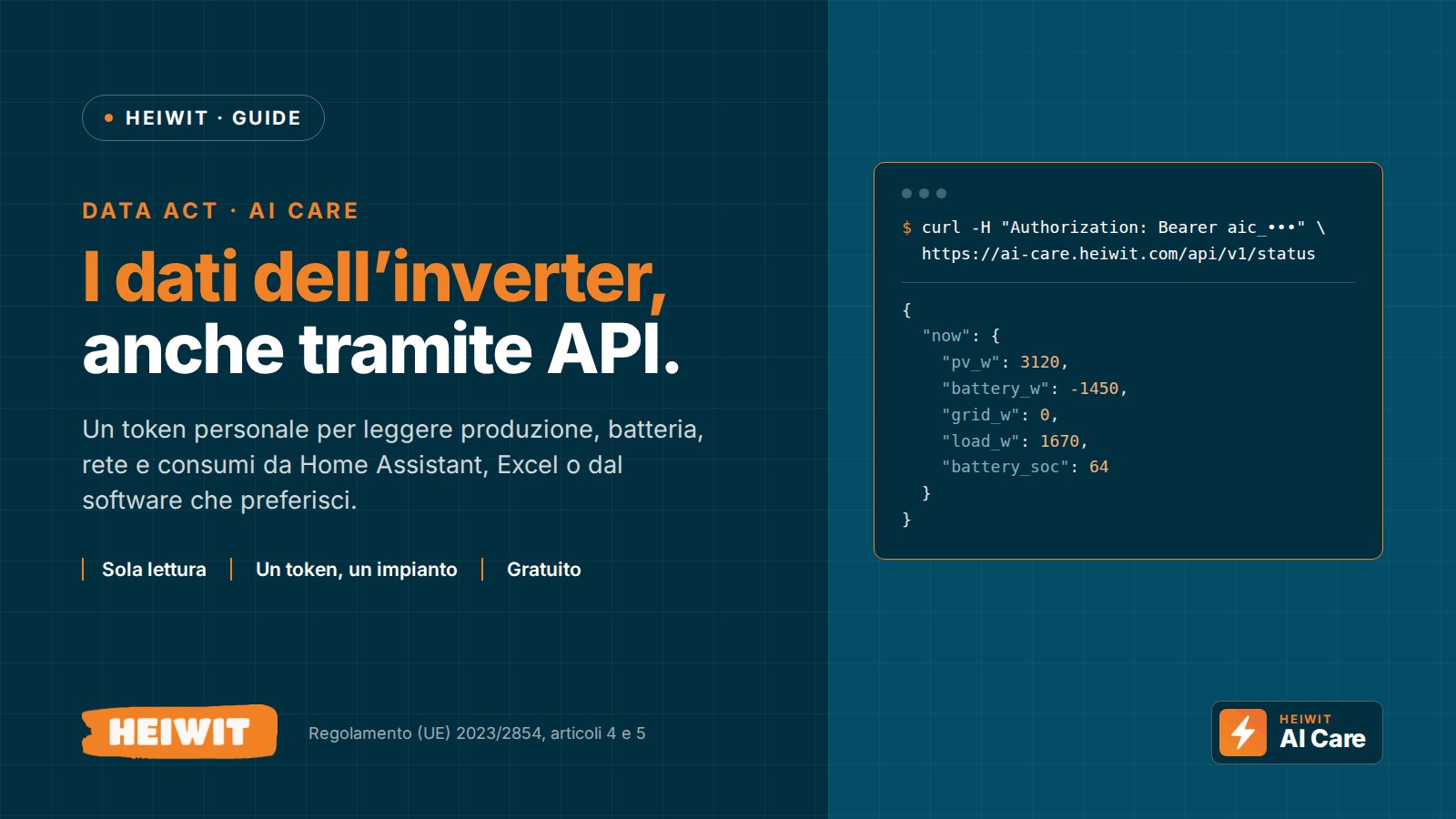
How to access your Heiwit inverter data via API
You can also read your Heiwit system's data from an external program, via API. Log in to AI-Care, open Report › Scarica i dati del tuo impianto (Download your system data) › Accesso via API (API access) and create a token: this is the key the program uses to request the data. Access is free, read-only, and each token is valid for one system only. This is the procedure Heiwit provides for exercising the right of access to data under the European Data Act (Regulation (EU) 2023/2854).
Can't see the video? Watch it on YouTube.
The video shows the complete procedure: enabling access, authenticating with the token and making the first request. Below you will find it explained step by step, with the list of available data, the limits and some ready-to-copy examples.
First of all: do you really need the API?
If you just want the figures in an Excel spreadsheet, no. On the AI-Care Report page there is the Scarica i dati del tuo impiantopanel: choose the period and the level of detail (hourly, daily or monthly) and download an Excel or CSV file. No configuration needed.
The API is useful when you want the data to arrive automatically in another program, without downloading files manually. For example:
- a home automation system such as Home Assistant;
- an Excel spreadsheet that updates with one click;
- a company's management software, or the software of an energy consultant or energy community;
- a script written by you or your technician.
What is an API, in simple terms
An API is a web address designed for programs rather than people. You open a page and read it; a program "calls" the address and receives the data in a structured, ready-to-use format: JSON or CSV.
Every call carries a token, a long secret key. It works like a password, with two differences: it can only be used to read data and it opens just one system.
Your right to your data: the Data Act
The Data Act is the European regulation on data (Regulation (EU) 2023/2854) and has applied since 12 September 2025. It also covers connected products, such as an inverter with its monitoring service, and gives users two rights:
- access the data generated by the use of the product and use it (Article 4);
- have it made available to a third party appointed by them, for example the installer or a consultant (Article 5).
That is why access to the data you are entitled to is free. Heiwit first checks that you are entitled to it: that is why the token can only be created after logging in to AI-Care with the account the system is linked to.
What you need
- Your Heiwit portal account. AI-Care uses the same credentials as the portal: email or username and password. If you can't remember your password, use Recover password on the login page.
- The system linked to your account. If you log in and cannot see your system, ask support to enable it.
- A program that can make web requests: Home Assistant, Excel, Python, the command
curlor your supplier's software.
Step 1: create the token
- Go to ai-care.heiwit.com and log in.
- If you have more than one system, choose the one you want.
- Open Report from the menu.
- At the bottom of the page, open the panel Scarica i dati del tuo impianto and then the section Accesso via API.
- Enter a name that reminds you what the token is for, for example "Home Assistant", and press Crea token.
- Copy the token straight away and keep it somewhere safe: it is shown only once. You can recognise it because it starts with
aic_.
In the same section you will find the list of active tokens for the system, with their last use, number of calls and the date on which they will be deactivated. With Revoca you can disable one instantly.
Step 2: make your first request
All requests start from this address:
https://ai-care.heiwit.com/api/v1The token is sent in a request header called Authorization, preceded by the word Bearer and a space:
Authorization: Bearer aic_IL_TUO_TOKENFor a quick test, the terminal with the command curlis all you need; it is already available on Windows 10 and 11, macOS and Linux. Replace aic_YOUR_TOKEN with your token:
curl -H "Authorization: Bearer aic_IL_TUO_TOKEN" "https://ai-care.heiwit.com/api/v1/status"On Windows, in PowerShell, type curl.exe instead of curl.
You don't need to specify which system to read: the token determines that. The response looks like this:
{
  "plant": {
    "sn": "90xxxxxxxxxxxxxxxx",
    "name": "Casa",
    "model": "Virgo6K-S-HW",
    "installed_power_kwp": 6,
    "battery_capacity_kwh": 10
  },
  "updated_at": "2026-10-05 07:10:12",
  "now": {
    "pv_w": 3120,
    "battery_w": -1450,
    "grid_w": 0,
    "load_w": 1670,
    "battery_soc": 64,
    "battery_soh": 100,
    "work_mode": 1,
    "work_mode_label": "Self-use (autoconsumo)"
  },
  "lifetime_kwh": {
    "pv": 8421.5,
    "export": 2310.2,
    "import": 1187.4,
    "bat_charge": 2950.8,
    "bat_discharge": 2702.3
  }
}
In this example the panels are producing 3,120 W: 1,670 W go to the home and 1,450 W charge the battery, which is at 64%. Nothing is exchanged with the grid.
What you can read
The API has three addresses, all read-only (GET requests):
| Address | What it is for |
|---|---|
/status | A snapshot of the system: current power of panels, battery, grid and home, battery charge and health, operating mode, totals since installation. |
/energy | Energy history hour by hour, day by day or month by month, with self-consumption, self-sufficiency and values in euros. In JSON or CSV. |
/token | Information on the token in use: when it is deactivated and how many calls you have made today. |
/status: the system right now
| Field | What it contains |
|---|---|
plant | Serial number, name and model of the inverter, panel power (kWp), battery capacity (kWh). |
updated_at | Date and time of the last reading, in UTC: for Italian time add 2 hours in summer and 1 in winter. If it is empty (null), the system has not sent readings for a while and the power values are 0: they should not be read as measurements. |
now.pv_w | Power produced by the panels, in watts. |
now.battery_w | Battery power: positive when discharging, negative when charging. |
now.grid_w | Power exchanged with the grid: positive when you export, negative when you import. |
now.load_w | Power consumed by the home. |
now.battery_soc | Battery charge, in %. |
now.battery_soh | Battery state of health, in %. |
now.work_mode | Inverter operating mode (for example self-consumption or backup), with the description in work_mode_label. |
lifetime_kwh | Totals since installation, in kWh: energy produced (pv), exported (export), imported (import), charged into the battery (bat_charge) and discharged (bat_discharge). |
/energy: the history
Example: day-by-day data for September 2026, energy and self-consumption only.
curl -H "Authorization: Bearer aic_IL_TUO_TOKEN" "https://ai-care.heiwit.com/api/v1/energy?granularity=day&from=2026-09-01&to=2026-09-30&fields=energy,derived"Parameters are added to the address after the question mark, separated by &:
| Parameter | Allowed values | If you do not specify it |
|---|---|---|
granularity | hour (hour by hour), day (day by day), month (month by month) | day |
from, to | Dates in the format YYYY-MM-DD, for example 2026-09-01 | The last 30 days, including today |
fields | One or more data groups separated by commas (see the table below) | energy,derived,economics |
format | csv to receive a CSV file instead of JSON | JSON |
With granularity=hour a request covers a maximum of 400 days: for longer periods, make several requests. With day and month you can request the entire history in one go.
The CSV uses a comma as the separator and a full stop for decimals, the most common format for software. To open it with Excel set to Italian, add &delimiter=semicolon&decimal=comma.
The data groups you can request with fields:
| Group | Fields | What it contains |
|---|---|---|
energy(always included) | pv_kwh, export_kwh, import_kwh, bat_charge_kwh, bat_discharge_kwh | Energy produced by the panels, exported to the grid, imported from the grid, charged into the battery and discharged from the battery. |
derived | self_consumption_kwh, home_load_kwh, autonomy_pct, pv_self_used_pct | Self-consumption (energy used in the home without drawing it from the grid, battery included), home consumption, self-sufficiency (share of consumption covered by the system), share of production used in the home. |
economics | pun_eur_mwh, buy_price_eur_kwh, sell_price_eur_kwh, import_cost_eur, export_revenue_eur, self_consumption_saving_eur, total_benefit_eur | Wholesale energy price (PUN), estimated purchase and sale prices, import cost, export revenue, saving from self-consumption, total benefit (saving plus revenue). |
strings | pv1_kwh, pv2_kwh | Separate production of the two panel strings. |
raw | self_use_kwh, self_give_kwh | Raw counters, exactly as recorded by the inverter. |
Each row starts with the date (date), to which the hour is added (hour) in hourly detail; in monthly detail there is the month (month). The JSON response for the example looks like this:
{
  "plant": { "sn": "90xxxxxxxxxxxxxxxx" },
  "granularity": "day",
  "from": "2026-09-01",
  "to": "2026-09-30",
  "fields": ["energy", "derived"],
  "count": 30,
  "truncated": false,
  "generated_at": "2026-10-05T09:30:00+02:00",
  "data": [
    {
      "date": "2026-09-01",
      "pv_kwh": 31.4,
      "export_kwh": 9.8,
      "import_kwh": 1.2,
      "bat_charge_kwh": 8.7,
      "bat_discharge_kwh": 7.9,
      "self_consumption_kwh": 20.8,
      "home_load_kwh": 22.0,
      "autonomy_pct": 94.5,
      "pv_self_used_pct": 68.8
    }
  ]
}
Only the first rows are shown here: in data all 30 days are included (count).
/token: token status
Returns the token name, the system, the creation date, the last use, the date on which it will be deactivated if you do not use it (expires_at), the calls made today and the limits. It is useful for checking that everything is working. This call also counts towards the daily limit.
How up to date the data is
- Current status (
/status): the inverter sends a reading roughly every 5 minutes and the API returns the latest one received. It does not query the inverter live: it reads the data already collected by the monitoring, so your calls place no load on the system. - History (
/energy): the current hour and day are partial and grow as time goes on. Dates and times are in Italian time. - If the inverter loses its internet connection, the API still responds with the latest reading received: check
updated_atto see how recent it is. - Euro values are estimates, calculated using the wholesale energy price (PUN) for the period and the same formula as the AI-Care panels. They are not your bill.
Token rules and limits
- One token, one system. If you have several systems, create a token for each one.
- Read only. Nothing can be changed with the token.
- Up to 5 active tokens per system. It is best to use one for each program: if you need to switch one off, the others keep working.
- 10 calls per minute and 300 per day for each token. The daily count resets at midnight, Italian time. Every response shows the daily limit in the header
X-Quota-Limitand the calls remaining today inX-Quota-Remaining. - No fixed expiry. The token deactivates automatically if it remains unused for 60 days; every call pushes the expiry date forward.
- Immediate revocation. With Revoca, on the Report page, the token stops working straight away.
How often should you request data? The status changes roughly every 5 minutes, so calling more often does not give new data. One call every 5 minutes makes 288 calls a day: this is within the limit, but leaves only 12 free. If you also need the same token for something else, choose one call every 10 minutes. For historical data, one call a day is enough.
If something goes wrong
When a request fails, the API responds with a code, an identifier (error) and a message in Italian explaining what to correct. For example:
{ "error": "invalid_token", "message": "Token non valido o revocato." }| Response | What it means | What to do |
|---|---|---|
401 missing_bearer | The header is missing Authorization, or is written incorrectly. | Check that the request includes the header Authorization with the word Bearer, a space and the token. |
401 invalid_token | The token is wrong or has been revoked. | Copy it again in full; if you have lost it, create a new one. |
401 token_expired | The token has not been used for 60 days and has been deactivated. | Create a new one from the Report page. |
429 rate_limited | More than 10 calls in one minute. | Wait a minute and reduce the frequency. |
429 daily_quota_exceeded | You have already made 300 calls today. | Try again tomorrow and reduce the frequency. |
400 bad_request | A parameter is not valid: date not in YYYY-MM-DD format, from later than to, period too long, granularity other than hour, day or month. | Correct the parameter indicated in the message. |
Ready-made examples
Home Assistant
With the Home Assistant RESTful integration you can create sensors that read /status. In the file secrets.yaml save the token, with the word Bearer in front:
heiwit_aicare: "Bearer aic_IL_TUO_TOKEN"Then add to configuration.yaml:
rest:
  - resource: https://ai-care.heiwit.com/api/v1/status
    scan_interval: 600
    headers:
      Authorization: !secret heiwit_aicare
    sensor:
      - name: "Heiwit produzione FV"
        value_template: "{{ value_json.now.pv_w }}"
        unit_of_measurement: "W"
        device_class: power
        state_class: measurement
      - name: "Heiwit batteria"
        value_template: "{{ value_json.now.battery_soc }}"
        unit_of_measurement: "%"
        device_class: battery
      - name: "Heiwit scambio con la rete"
        value_template: "{{ value_json.now.grid_w }}"
        unit_of_measurement: "W"
        device_class: power
        state_class: measurement
      - name: "Heiwit energia prodotta"
        value_template: "{{ value_json.lifetime_kwh.pv }}"
        unit_of_measurement: "kWh"
        device_class: energy
        state_class: total_increasing
With scan_interval: 600 Home Assistant calls the API every 10 minutes: 144 calls a day. The other totals from lifetime_kwh (export, import, battery) are added in the same way as the “energy produced” sensor and can be used in the Energy dashboard.
Python
import requests

TOKEN = "aic_IL_TUO_TOKEN"

risposta = requests.get(
    "https://ai-care.heiwit.com/api/v1/energy",
    headers={"Authorization": f"Bearer {TOKEN}"},
    params={"granularity": "day", "from": "2026-09-01", "to": "2026-09-30"},
    timeout=30,
)
risposta.raise_for_status()

for giorno in risposta.json()["data"]:
    print(giorno["date"], giorno["pv_kwh"], "kWh prodotti")
Excel
- In Excel, open Data › From Web and choose Advanced.
- As the address, paste:
https://ai-care.heiwit.com/api/v1/energy?granularity=day&format=csv&delimiter=semicolon&decimal=comma - In the HTTP request headers, enter
Authorizationand, next to it,Bearer aic_YOUR_TOKEN. - If Excel asks how to connect, choose Anonymous: the authorisation is already in the header.
- Load the table. From then on Refresh All reloads it with the new data.
Without from and to you always receive the last 30 days. Please note: the token remains saved in the file, and anyone who receives the file can read the system's data.
For installers and businesses
- One token per system. With the installer's main account you can see in AI-Care the systems you look after, and for each one you can create a token from the Report page. Limits and expiry apply token by token: with 40 systems you have 40 tokens, each with its own 300 calls a day.
- Agent accounts cannot see the Accesso via API (API access) section: the installer's main account is required.
- The data belongs to the customer. Use it for the services agreed with them. On their Report page, the customer can see all the active tokens on their system, including those you created, with name and last use, and can revoke them. Give tokens clear names, for example “Maintenance Rossi Impianti”.
- If a customer wants to entrust their data to you (Article 5 of the Data Act), the simplest way is for them to create a dedicated token and give it to you. They can revoke it when the relationship ends.
The same applies to software houses, energy consultants and energy communities: they connect with one token per system, which the owner creates and gives to them.
Security: what this API does not do
- It does not issue inverter administration credentials.
- It does not modify firmware, electrical parameters or protection settings: it only reads.
- The token does not open your AI-Care account and does not give access to other systems.
Even so, treat the token like a password: do not publish it online, do not leave it in shared files, do not send it via chat. If you fear someone has seen it, revoke it and create a new one. Heiwit stores only a fingerprint (hash) of the token, not the token itself: that is why nobody, not even customer support, can send it to you again. Communications with the API are encrypted (HTTPS).
Frequently asked questions
How much does it cost?
Nothing. Access to the data you are entitled to is free of charge.
Can I change the inverter settings with the API?
No. The API is read-only: it does not touch firmware, electrical parameters or protections.
Can I give my data to the installer or another company?
Yes. The Data Act allows you to have it made available to a third party appointed by you. In practice, you create a token with a recognisable name and give it to whoever you have chosen; you can revoke it whenever you like. For other requests, write to customer support.
I have lost the token. Can you send it to me again?
No, because Heiwit does not store it. Create a new one and revoke the old one.
Does the token expire?
Only if you don't use it: after 60 days without any calls it deactivates automatically. As long as you use it, it stays active.
Can I read data from more than one system with a single token?
No, each token is valid for one system. For several systems you need several tokens.
Are the euro values the ones on my bill?
No. They are estimates calculated using the wholesale energy price (PUN) for the period.
How far back in time can I go?
Back to the start of the data recorded by the monitoring. With hourly detail, each request covers a maximum of 400 days.
Does it work with Home Assistant?
Yes, with the RESTful integration: you will find the configuration in the examples above.
Useful links
- API documentation and list of accessible data: ai-care.heiwit.com/report (after logging in, Scarica i dati del tuo impianto (Download your system data) panel › Accesso via API (API access)).
- Enabling access and support: ai-care.heiwit.com/login.
- Video guide: Heiwit inverters: how to access your data via API.
Legal references: Regulation (EU) 2023/2854 of the European Parliament and of the Council of 13 December 2023 (Data Act), in particular Article 4, on user access to data, and Article 5, on sharing data with third parties. Access to the data to which the user is entitled is free of charge, subject to verification of the requester's entitlement; data is made available to a third party appointed by the user under the conditions laid down in the regulation. The technical information refers to version 1 of the API (/api/v1) as at 5 October 2026.
The API reads the data collected by AI-Care, the Heiwit system monitoring platform. At the heart of the system is theVirgo hybrid inverter, paired with the 10 kWh Heiwit sodium-ion battery.
 Italian
 English
 German
 French
 Spanish
 Polish
 Dutch
 Romanian
 Hungarian
 Czech
 Swedish
 Portuguese
 Greek